AI Prototyping Without Figma [From a Live Build]


We’re three weeks into an enterprise build and our designers haven’t opened Figma. Not because we’re making a statement — because Claude Code got us to a working prototype before the design file would have been ready for review.
That’s not how this was supposed to go. The original plan had two weeks of design exploration, a handoff, then engineering picks it up. Instead, we had a functional prototype in front of stakeholders by day five. AI prototyping didn’t just speed up the process. It changed which process we ran.
This isn’t a tool roundup or a theoretical take on what AI could do for design. This is what actually happened when we replaced our traditional prototyping workflow with an AI-native one — what shipped, what broke, and what we’d do differently.
What Is AI Prototyping and Why Does It Matter Now?
AI prototyping is using AI tools — like Claude Code, Cursor, or similar AI-native development environments — to generate working prototypes directly from prompts, bypassing the traditional design-to-handoff-to-build cycle. Instead of designing screens in Figma, exporting specs, and waiting for engineering to interpret them, the team describes what they need and iterates on functional code in real time.
That matters because the bottleneck in most product teams isn’t talent. It’s the lag between having an idea and seeing it work. Traditional prototyping means weeks of design, review, revision, handoff, and build before anyone clicks a real button. AI prototyping compresses that loop from weeks to hours.
The shift isn’t theoretical anymore. We’re seeing it on live engagements, and the speed difference is hard to overstate.
Why We Stopped Opening Figma Three Weeks In
Here’s the honest version of what happened. Week one, we sat down to scope the engagement the way we usually do — user flows, information architecture, then into Figma for wireframes. Standard playbook.
But we’d been using Claude Code on internal projects, and one of our engineers said: “What if I just prompt the first screen and we see what comes back?” Thirty minutes later, we had a working page — not a mockup, not a wireframe, a page with real interactions — that we could put in front of the product team for feedback.
That changed the math. The speed differential wasn’t incremental. It was categorical.
By day five, we had a clickable prototype covering the three core user flows. In a traditional workflow, we’d still be iterating on wireframes. The team hadn’t opened Figma because there was no reason to — we were already past the stage where static screens add value.
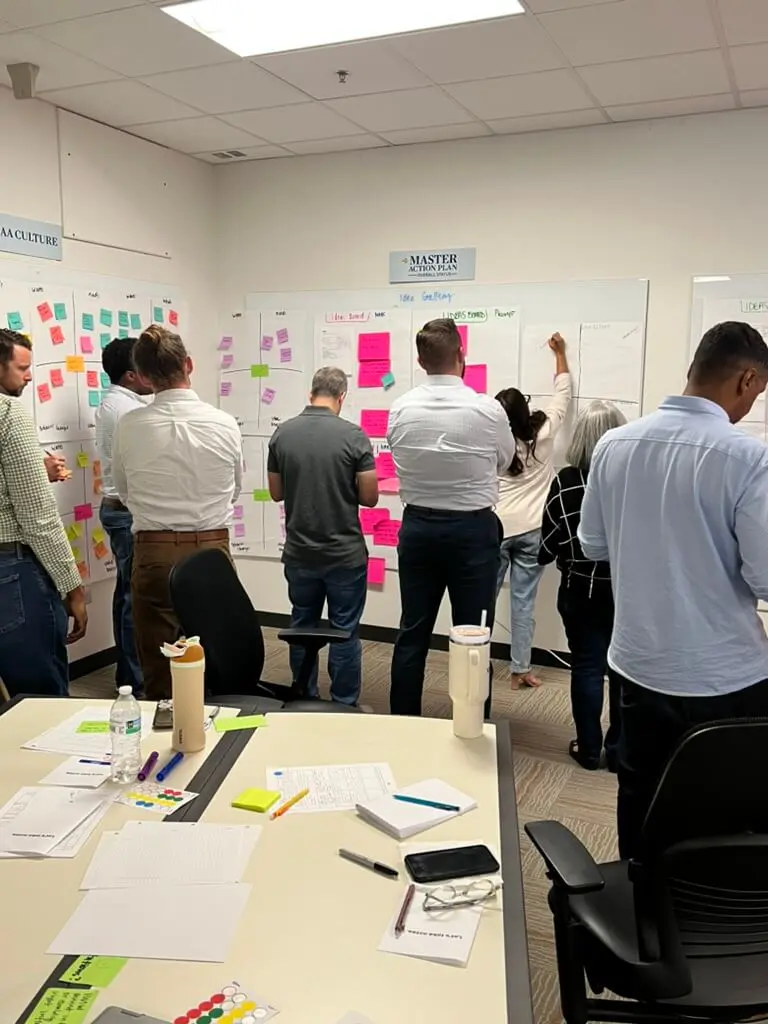
The iteration speed is what matters most. In a typical Figma-to-engineering cycle, every design change means updating the file, re-exporting, and re-explaining to the engineer. With Claude Code, the designer and engineer sit together, adjust the prompt, and see the result immediately. We ran more iterations in the first week than we’d normally run in a full design sprint.
Here’s what we shipped in three weeks without Figma: three functional user flows, a working data integration, two rounds of stakeholder feedback incorporated, and a validated prototype ready for usability testing. That’s not typical. But it wasn’t luck — it was the workflow.
What the AI Prototyping Workflow Actually Looks Like
The workflow isn’t “type a prompt and magic happens.” It’s more structured than that, and the structure is what makes it work for enterprise-grade products.
Step 1: Define the interaction, not the screen. Instead of designing a page layout, we describe what the user needs to accomplish. “The user needs to review three pending approvals, take action on each, and see confirmation.” That framing gives Claude Code enough context to generate something useful on the first pass.
Step 2: Prompt-to-prototype. The engineer prompts Claude Code with the interaction description, any constraints (data shape, component patterns, accessibility requirements), and the target stack. What comes back is functional code — not a perfect product, but a working starting point that the team can interact with immediately.
Step 3: Rapid iteration in pairs. This is where it gets interesting. The designer and engineer sit together — literally pairing — and iterate on the prototype in real time. The designer says “that action button needs more prominence” and the engineer adjusts the prompt or the code directly. No handoff document. No “I’ll update the Figma file and re-export.” The feedback loop drops from days to minutes.
Step 4: Stakeholder validation on working software. Instead of presenting wireframes and asking stakeholders to “imagine this is functional,” you put the working prototype in their hands. The quality of feedback improves dramatically when people interact with real software instead of static screens.
The artifacts this process produces are different from traditional design deliverables. You don’t get a polished Figma file. You get working code, a documented prompt history (which functions as a design rationale), and a prototype that’s already closer to production than any wireframe would be.
For teams used to the Figma → Zeplin → Jira → Engineering pipeline, this feels disorienting at first. The playbook changes. But the velocity gains are real — we’re seeing 3-4x more iterations per week compared to our traditional workflow on similar engagements.
Where AI Prototyping Breaks Down
We’d be writing marketing copy if we didn’t name the parts that don’t work yet. Here’s where we hit walls.
Complex design systems integration. If your product needs to align pixel-perfectly with an existing design system — specific tokens, component variants, spacing rules — Claude Code doesn’t inherently know your system. You can feed it context, but the output requires significant cleanup to match production-grade design system standards. For teams with mature design systems, this is a real limitation.
Visual refinement. AI prototyping is exceptional at structure and interaction. It’s mediocre at visual polish. Typography, spacing relationships, color application — these still need a trained designer’s eye. The prototype gets you to “this works” fast, but “this looks right” still takes traditional design skill.
Edge cases and accessibility. Claude Code handles the happy path well. The edge cases — empty states, error handling, keyboard navigation, screen reader compatibility — need deliberate attention. We found ourselves prompting specifically for these scenarios, and even then, the output needed manual review. Accessibility isn’t something you can afford to get approximately right.
Team comfort. Not everyone on every team is ready to work this way. Some designers feel disoriented without Figma. Some engineers are skeptical of AI-generated code quality. The workflow only works if both sides are willing to pair closely and iterate together. Forcing it creates friction, not velocity.
The honest take: AI prototyping is a better tool for the first 80% of the problem. The last 20% — visual polish, accessibility compliance, design system alignment — still needs human craft. Knowing where to switch is the skill.
When Figma Still Wins Over AI Prototyping
AI prototyping doesn’t replace Figma across the board. Here’s where traditional design tools still earn their place.
| Factor | AI Prototyping (Claude Code) | Traditional Prototyping (Figma) |
| Speed to first prototype | Hours | Weeks |
| Iteration cycle time | Minutes (live pairing) | Days (design → review → revise) |
| Output format | Working code | Static screens + specs |
| Visual polish | Rough — needs refinement | Pixel-perfect from the start |
| Design system compliance | Requires manual alignment | Built-in with component libraries |
| Stakeholder feedback quality | High (real interactions) | Lower (imagining functionality) |
| Collaboration model | Designer + engineer paired | Designer solo, then handoff |
| Accessibility | Needs deliberate prompting + review | Plugins and manual review |
| Documentation | Prompt history + code | Annotated design files |
| Best for | Early-stage validation, rapid iteration | Production design, brand systems |
Figma wins when you need production-ready visual assets, when your design system is the product (component library documentation, for example), when you’re designing for brand consistency across dozens of touchpoints, or when the team isn’t set up for close designer-engineer pairing.
The teams getting the most out of AI prototyping aren’t abandoning Figma. They’re using AI-native tools for the rapid exploration and validation phase, then bringing Figma in for production refinement when the concept is proven. Right-sizing the tool to the phase of work — not defaulting to one tool for everything.
What This Means for Your Product Team
If you’re running a product team at an enterprise org, here’s what we’d tell you based on three weeks of doing this for real.
Start with a low-stakes project. Don’t rearchitect your entire design process overnight. Pick an internal tool, a proof-of-concept, or an early-stage feature — something where speed matters more than visual perfection. See how the workflow feels before you commit to it on a flagship product.
Pair your designers and engineers. AI prototyping collapses the handoff. That’s a good thing — but only if the people on both sides are in the room together. If your designers and engineers are still working in sequence, the workflow won’t deliver. The velocity comes from the pairing, not just the tooling.
Don’t skip the refinement phase. The prototype ships fast. The temptation is to call it done. It’s not. Visual polish, accessibility, design system alignment — these still need dedicated attention. Build time for refinement into the plan, or your “fast prototype” becomes your “rough production product.”
Evaluate what your team keeps. After an AI product development engagement, your team should own the playbook — how to prompt, how to pair, how to iterate. If they can’t extend the prototype without you, the speed gains were temporary. The capability transfer matters as much as the prototype itself.
AI prototyping isn’t a silver bullet. But for teams stuck in multi-week design cycles wondering why the market is moving faster than their roadmap, it’s worth trying. We went in skeptical. Three weeks later, we’re not going back to the old workflow — at least not for the exploration phase.
The tools will keep getting better. The question isn’t whether AI prototyping will become standard. It’s whether your team figures out how to use it before your competitors do.
Frequently Asked Questions
What tools are used for AI prototyping?
The primary tools we use are Claude Code and Cursor — AI-native development environments that generate working code from natural language prompts. Unlike AI plugins that add features to existing design tools, these replace the traditional design-to-handoff pipeline entirely by producing functional prototypes directly.
Does AI prototyping replace designers?
No. It changes what designers spend their time on. Instead of creating static wireframes that get handed off, designers pair directly with engineers to shape the prototype in real time. Visual refinement, accessibility, and design system compliance still need human design skill. The role shifts from “create the artifact” to “direct the outcome.”
How fast is AI prototyping compared to traditional methods?
On our current engagement, we shipped a validated prototype in five days that would have taken four to six weeks in a traditional Figma-to-engineering workflow. Iteration cycles dropped from days to minutes. Your results will vary based on project complexity, but the speed difference is categorical, not incremental.
Is AI-generated prototype code production-ready?
Not immediately. AI prototyping produces working code that’s ideal for validation and stakeholder feedback, but it needs refinement before production — especially around accessibility, performance optimization, and design system alignment. Think of it as a high-fidelity starting point, not a finished product.
When should teams still use Figma?
Figma still wins for production-ready visual design, design system documentation, brand consistency work, and scenarios where pixel-perfect assets are the deliverable. The smartest teams use AI prototyping for exploration and validation, then bring Figma in for production refinement.
We architect AI-native products and build your team’s capability while we do it. If your product team is exploring AI prototyping — or wondering whether the hype is real — we’d like to talk. The team you meet is the team that ships.
About the Author – Brad Chesney, Founder & CEO, Cabin Consulting Brad has been shipping digital products at enterprise scale for nearly 20 years — from Skookum to Method to GlobalLogic to Hitachi. He founded Cabin in February 2024 to build the AI-native consultancy he wished existed. He’s currently three weeks into a build and hasn’t touched Figma.