Salesforce Consulting: What Right-Sized Actually Looks Like


Last updated: March 2026
Most Salesforce rollouts don’t fail in the platform. They fail the moment a rep decides the spreadsheet is faster. That’s not a technology problem — it’s a design problem. And in almost every case, it traces back to a consulting engagement that built what sold, not what fit.
Last updated: March 2026
If your team is working around Salesforce instead of inside it, something was misconfigured upstream. Not by accident. By a process that rewards scope over simplicity.
This guide is for the leader who’s been through that — or who’s trying to avoid it. It covers what Salesforce consulting actually is, why most implementations create dependency instead of capability, and what to demand from a partner before you sign anything.
What Does a Salesforce Consultant Actually Do?
A Salesforce consultant configures the platform around your actual business workflows, integrates it with your existing systems, and ensures your team can use it — and extend it — without calling someone every time something changes. The best ones leave your team more capable than they found them. The worst ones leave you dependent on a retainer to keep the lights on.
That’s the real job. Not turning on features. Not selling licenses. Not building dashboards that look good in a demo and break in production.
Good Salesforce consulting focuses on three things: translating real business processes into platform logic, removing the friction that kills adoption, and transferring the knowledge to run it in-house. When those three things happen, Salesforce becomes an asset. When they don’t, it becomes a liability with a six-figure maintenance contract attached.
Why Most Salesforce Implementations Don’t Stick
The failure rate on CRM implementations isn’t a secret. G2 data puts Salesforce Sales Cloud’s average user adoption at around 72% — the highest among major CRMs — which means even the best-performing platform in its category leaves nearly 30% of licensed users not fully using it. The Johnny Grow CRM Failure Report, drawing on Gartner, Forrester, and independent research, puts the CRM implementation failure rate — defined as not achieving planned objectives — at 55%. That number has held roughly steady for a decade. Not because the platform is broken, but because the incentive structure around consulting it is.
Here’s what actually causes implementations to fail:
Scope creep sold as customization. A consultant who earns more by building more will always find a reason to build more. The result is a system with 40 custom fields nobody uses, three approval workflows that slow everything down, and an org that requires a certified admin to change a picklist value.
Training treated as a handoff, not a transfer. Most implementations end with a training session. One session. Maybe a PDF. Then the consultants leave. Six months later, half the team has reverted to spreadsheets because the one person who understood the system moved on.
Workflows built without watching anyone work. The most common implementation mistake isn’t technical — it’s sitting in a conference room designing a process instead of watching how the team actually operates. Every workaround a rep takes is a signal the system doesn’t fit. Those signals are almost never collected.
No capability transfer plan. This one is structural. If the consulting engagement doesn’t have a defined plan for making your team self-sufficient, it will produce dependency. Not because the consultant is malicious — because it was never designed for any other outcome.
The result is a system your team uses partially, maintains expensively, and eventually wants to replace with something simpler. Which is usually just the original system, configured better.
What Right-Sizing Actually Means (And How to Spot the Opposite)
Right-sizing isn’t a size reduction. It’s a fit calibration. A right-sized Salesforce implementation includes exactly what your team needs to work faster, see clearly, and hand off cleanly — and nothing else.
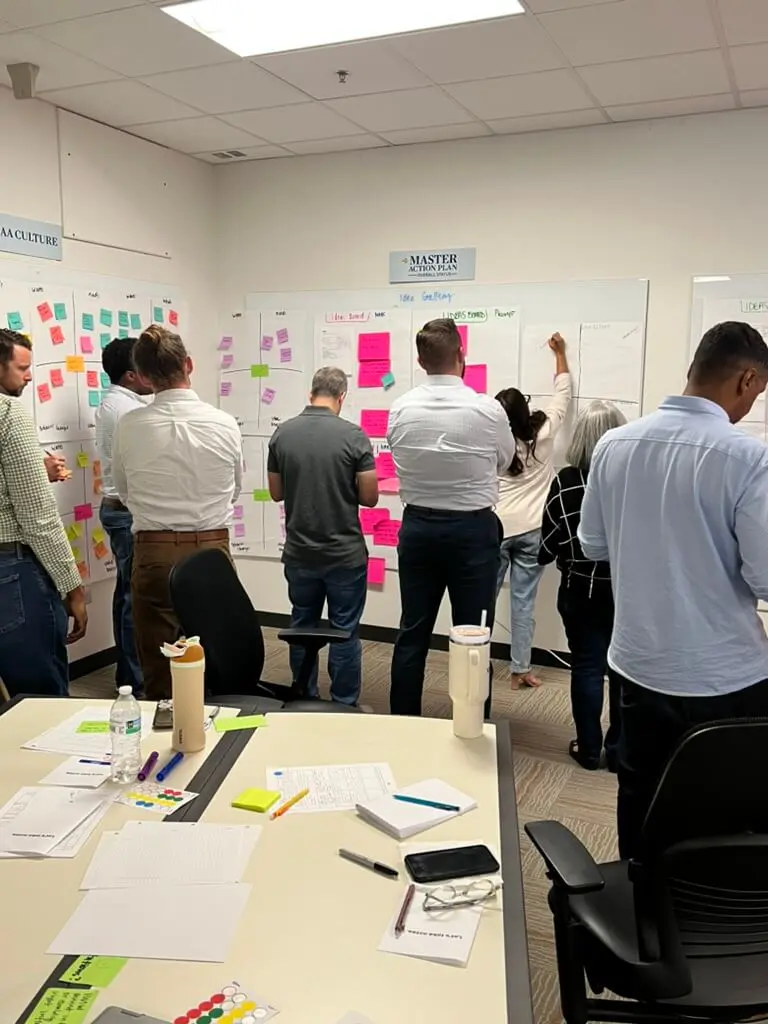
The methodology starts before any configuration happens. It starts with a workflow audit: watching your reps update an Opportunity, watching your agents triage a case, watching your ops team pull a report. You’re looking for two things: where the system slows people down and where people have already invented their own workarounds. Those workarounds are your design brief.
From there, every configuration decision gets made against one test: does this make the work easier or harder for the person doing it? If a feature doesn’t pass that test, it doesn’t ship.
| Right-Sized Implementation | Over-Built Implementation | |
|---|---|---|
| Starting point | Workflow audit with real users | Requirements doc from stakeholders |
| Field count | Only fields the team actually uses | Every field someone might need someday |
| Customization approach | Out-of-the-box first, custom only when necessary | Custom first, standard as fallback |
| Training model | Embedded throughout the engagement | Single handoff session at end |
| Post-launch support | Team runs it independently | Ongoing retainer required |
| Success metric | Adoption rate at 90 days | Go-live date |
| What gets left behind | A team that can extend the system | A system that requires the consultant to extend it |
The last row is the one that matters most. By month three, your team should be able to change a workflow, add a field, and build a report without calling anyone. If that’s not in the contract, you’re buying dependency.
What to Demand From a Salesforce Partner Before You Sign
Most consulting proposals look the same. Discovery phase. Configuration phase. Training phase. Go-live. What they don’t show you is what happens to your team’s capability after go-live. Here’s what to push on before you commit:
1. Ask to see their workflow audit process. If a consultant can’t describe specifically how they’ll learn your actual workflows — not your documented processes, your actual workflows — they’re going to build from assumptions. Ask who conducts the audit, how long it takes, and what artifacts it produces.
2. Ask how capability transfer is structured. Not “do you do training.” Ask how your team will be able to extend the system independently at 90 days. If the answer is a training session and documentation, that’s not a transfer — that’s a handoff.
3. Ask about their right-sizing philosophy. Listen for what they say about customization. If they lead with what’s possible, not what’s necessary, that’s a signal. The right answer sounds like: “We start with out-of-the-box and only customize when standard configuration genuinely can’t support the workflow.”
4. Ask for a reference from a client they didn’t retain. Any firm can produce a reference from an ongoing client. Ask for a client who completed the engagement, runs the system in-house, and hasn’t needed them since. If they can’t produce one, ask why.
5. Ask what they’re not going to build. A good consulting partner should be able to tell you specifically what they’re leaving out and why. “We’re not implementing CPQ in phase one because your team doesn’t have the ops capacity to manage it” is a better answer than “we can add that to the scope.”
These questions don’t take long to ask. The answers tell you everything.
What the First 90 Days Should Actually Look Like
A right-sized Salesforce engagement doesn’t end at go-live. It ends when your team can run without you. Here’s what that looks like in practice:
Weeks 1–2: Workflow audit and process mapping. No configuration yet. Sit with the teams who will live in the system. Watch real work happen. Document the actual process, not the ideal one. Flag every workaround — those are your configuration priorities.
Weeks 3–6: Configuration against real workflows. Build only what the audit surfaced. Your reps should be in a sandbox reviewing real flows within two weeks of kickoff, not at the end of the engagement. Their feedback during this phase is not a delay — it’s the point.
Weeks 6–10: Parallel running and embedded enablement. This is where most implementations skip straight to go-live. The right move is running the new system alongside the old one for two to four weeks, with your team making real decisions in Salesforce and learning as they work — not in a training room, in the actual job.
Week 10–12: Go-live and handoff. By this point, your team has been using the system for weeks. Go-live is a formality, not a risk event. The handoff includes the playbooks your team built during the engagement, not ones the consultant wrote for them.
Month 3 check-in: One month after go-live, a good consulting partner should be able to walk away. If they’re still fielding daily support tickets, something wasn’t transferred. That’s a signal to address, not a reason to extend the retainer.
At Cabin, we’ve seen this model reduce post-launch friction significantly compared to traditional handoff implementations — fewer support escalations, faster admin independence, and teams who can describe why their Salesforce is built the way it is. That last part matters more than it sounds. A team that understands the system can change it when the business changes. A team that was handed a system cannot.
Frequently Asked Questions
What’s the difference between a Salesforce consultant and a Salesforce implementation partner?
A Salesforce implementation partner is an official designation from Salesforce — it means the firm has certified staff and has met certain volume thresholds. A consultant may or may not be a certified partner. Partner status signals credibility but doesn’t guarantee right-sizing or quality. Ask both types the same questions about workflow audit process and capability transfer.
How long does a Salesforce implementation take?
A right-sized Sales Cloud or Service Cloud implementation for a mid-market team typically runs 8–12 weeks. Over-scoped implementations with heavy customization can run 6–18 months. If a consultant is proposing more than 12 weeks for a standard cloud implementation, ask specifically what’s driving the timeline — it should map directly to your workflow complexity, not their billing model.
How do I know if my current Salesforce implementation needs a reset?
Three signals: your team is maintaining parallel systems (spreadsheets, shared docs) alongside Salesforce; your admin backlog is longer than two weeks; and your reporting doesn’t match what people actually believe about the business. Any one of these is a sign the system isn’t fit. All three together means it’s worth a scoping conversation before you invest further in the current configuration.
What does Salesforce consulting cost?
Rates vary significantly. Independent consultants typically run $100–200/hour. Boutique firms run $150–275/hour. Large system integrators can run $250–400/hour with significant overhead built in. The number that matters more than rate is scope — a right-sized engagement at $200/hour for 400 hours is a better investment than an over-scoped one at $150/hour for 1,200 hours. Ask for a fixed-scope proposal, not a time-and-materials estimate.
What is Salesforce Agentforce and do I need it?
Agentforce is Salesforce’s AI agent layer — it handles routine tasks autonomously, from case triage to guided rep workflows, using your org’s data. Whether you need it depends on the maturity of your base configuration. If your team isn’t consistently using your current Sales Cloud or Service Cloud setup, adding Agentforce will compound the adoption problem. Get the foundation right first.
The pattern is consistent across every implementation we’ve seen go wrong: scope built for the proposal, not the team. The fix is also consistent — start with real workflows, build only what they need, and make sure your team can run it when you leave.
If you want to know specifically whether your current Salesforce setup is right-sized or over-built, book a 30-minute scoping call. We’ll tell you what we see — and what we’d leave out.